Developing Consistency Across Enterprise Applications
Creating a design system and modernizing enterprise software through interface redesigns, standardization, and user-centered improvements.
During my internship with Lowe's Product Master Data Management team, I supported the modernization of internal applications used to manage product information across the organization. As legacy tools were being separated into more focused applications, there was an opportunity to improve usability while creating a consistent experience across the entire product ecosystem.
Working as a Business Analyst, I collaborated with product owners, developers, and business stakeholders to redesign application interfaces, gather requirements, document user stories, and create one of the team's first comprehensive UI style guides to establish shared design standards across future applications.
Overview
Role
Product Master Data Management Analyst Intern
Timeline
Summer 2018
Team
Product Owners • Developers • Business Stakeholders • Scrum Team • Product Master Data Management
Responsibilities
Requirements gathering
User story creation
Interface redesign
Wireframing
Design system documentation
Style guide creation
Stakeholder collaboration
Agile ceremonies
The Challenge
The Product Master Data Management team was modernizing several legacy enterprise applications that had been developed independently over time. As functionality was migrated into new applications, the user experience lacked consistency across navigation, buttons, colors, icons, layouts, and messaging.
Without shared standards, every enhancement risked introducing new inconsistencies that increased development effort and made the software more difficult for users to learn. The team needed both immediate interface improvements and a long-term approach to maintaining consistency as the platform evolved.
Understanding User Needs
Working closely with business stakeholders, I participated in requirements gathering sessions, Scrum ceremonies, and design discussions to understand how users interacted with the existing applications.
Rather than simply recreating existing screens, we identified opportunities to simplify workflows, remove unnecessary fields, improve navigation, and reduce visual clutter. These conversations helped ensure interface improvements addressed real business needs instead of simply refreshing the appearance of the application.
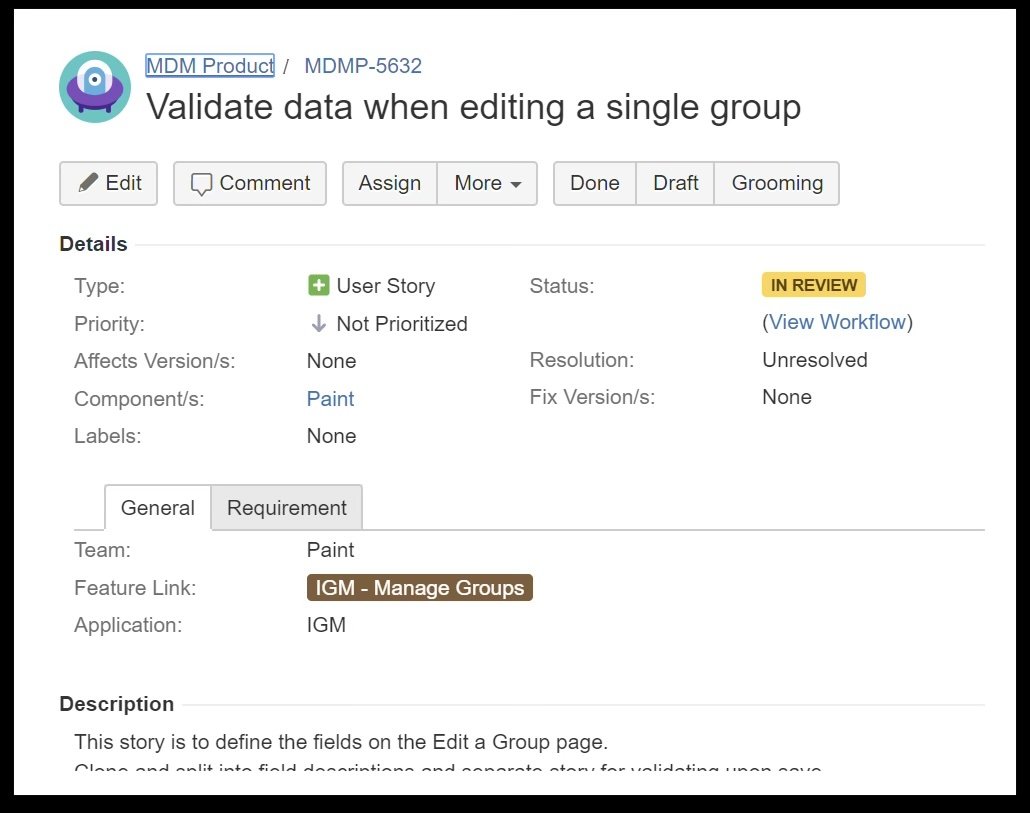

Modernizing the User Experience
Using feedback gathered from stakeholders, I redesigned several application pages to improve usability while aligning them with emerging interface standards.
Updates included simplifying layouts, reorganizing information, improving navigation, reducing redundant functionality, introducing consistent iconography, and creating cleaner visual hierarchies across the application. Each redesign balanced business requirements with a more intuitive user experience.
Group Management Page
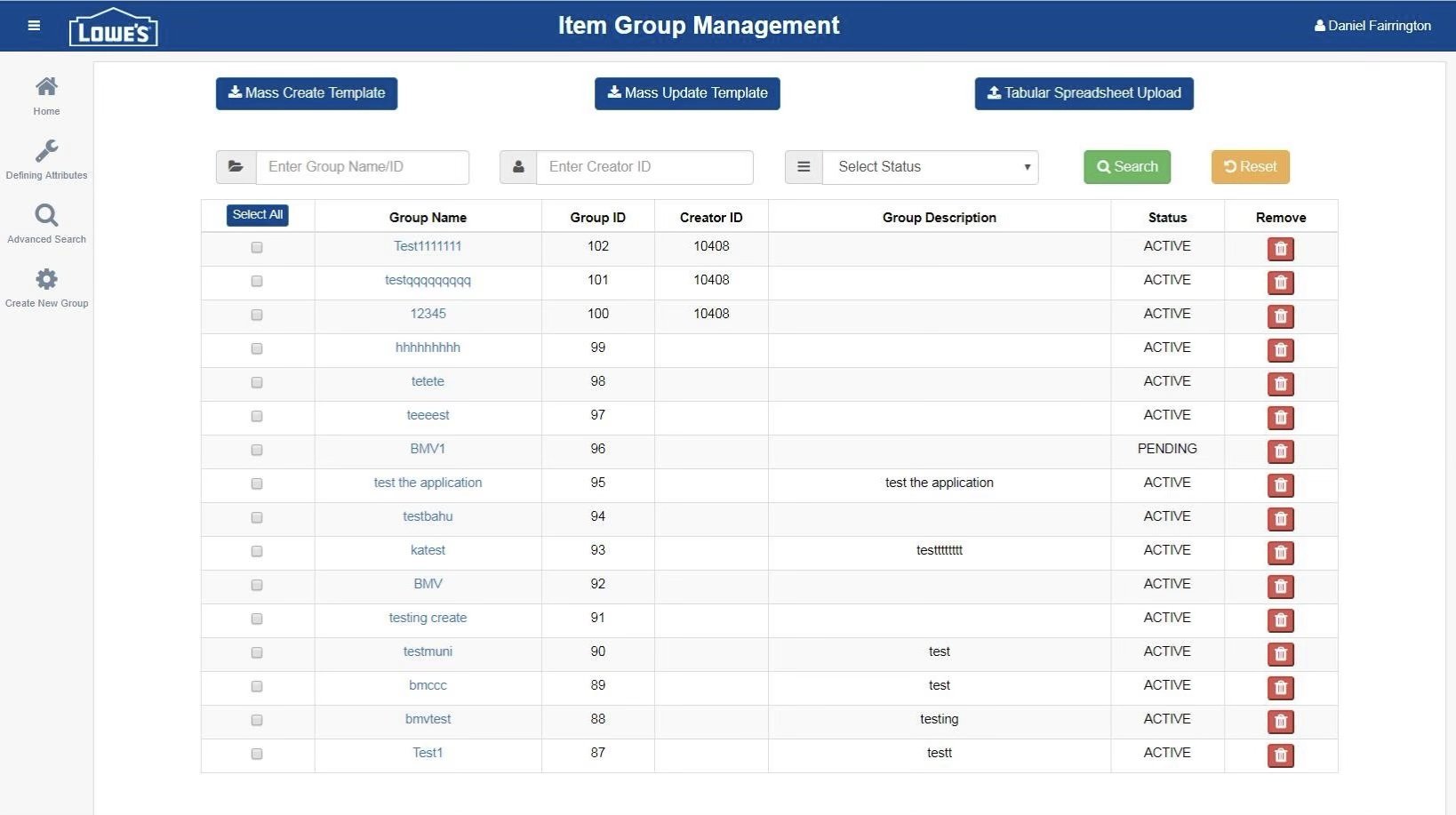

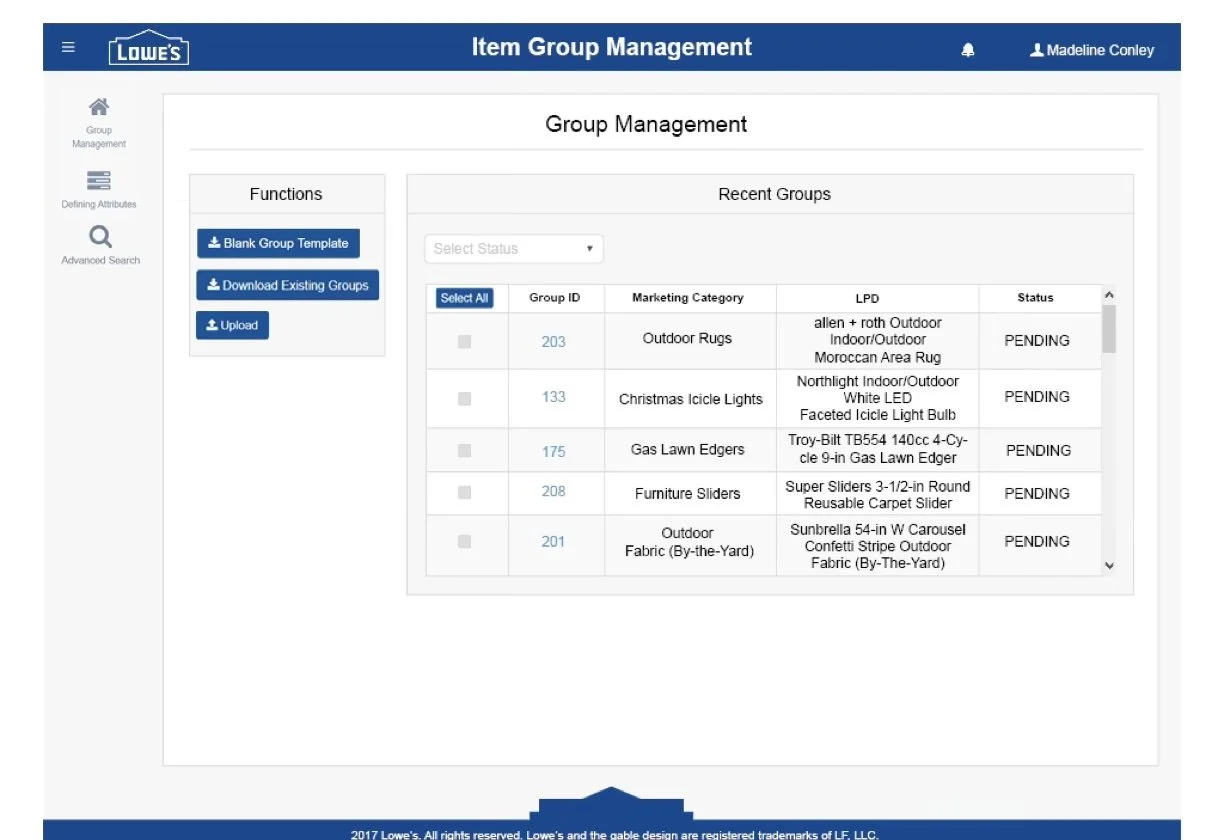
Simplified the interface by removing unnecessary fields, applying standardized iconography, and improving visual hierarchy to create a cleaner, more intuitive user experience.
Advanced Search Page
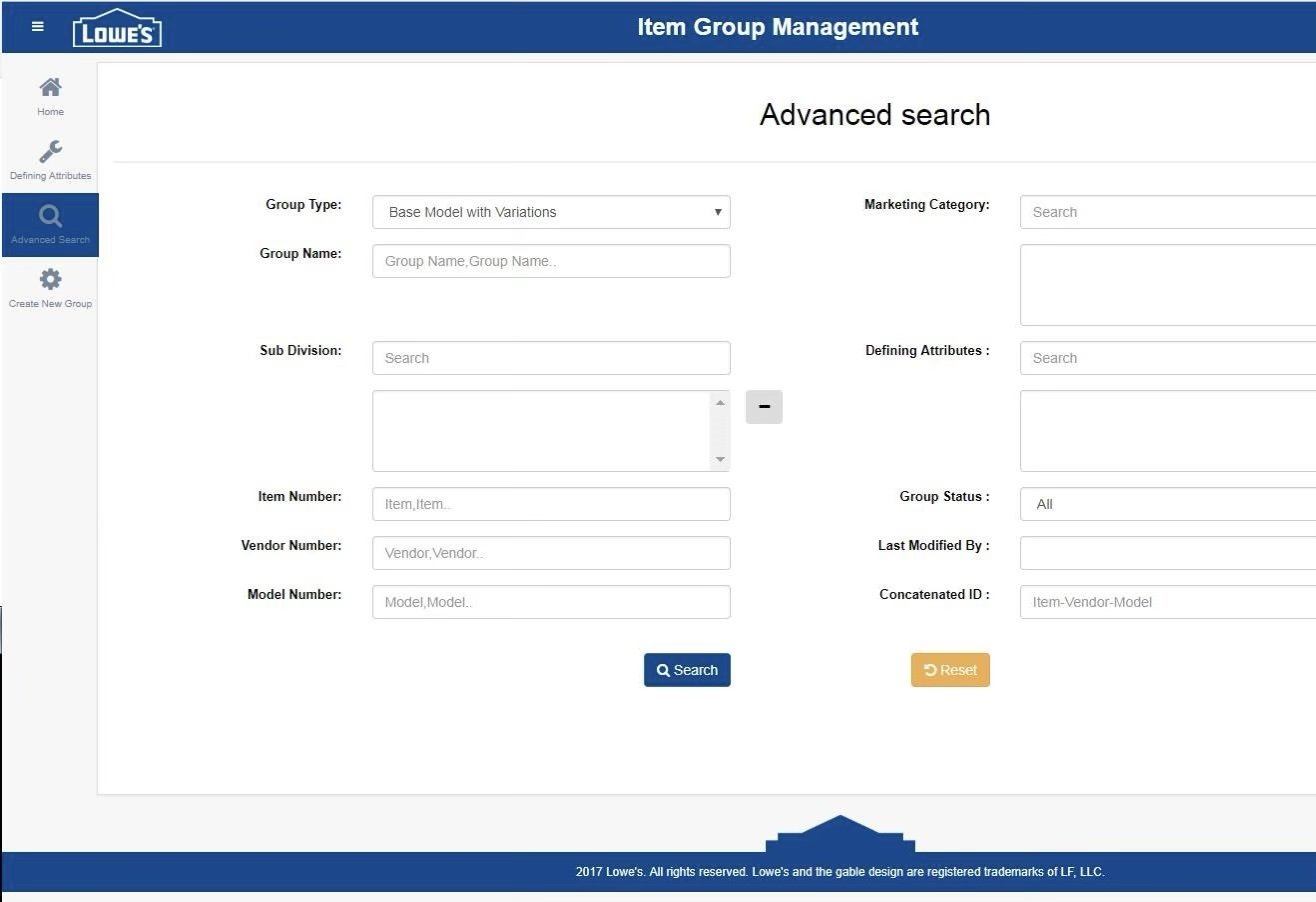
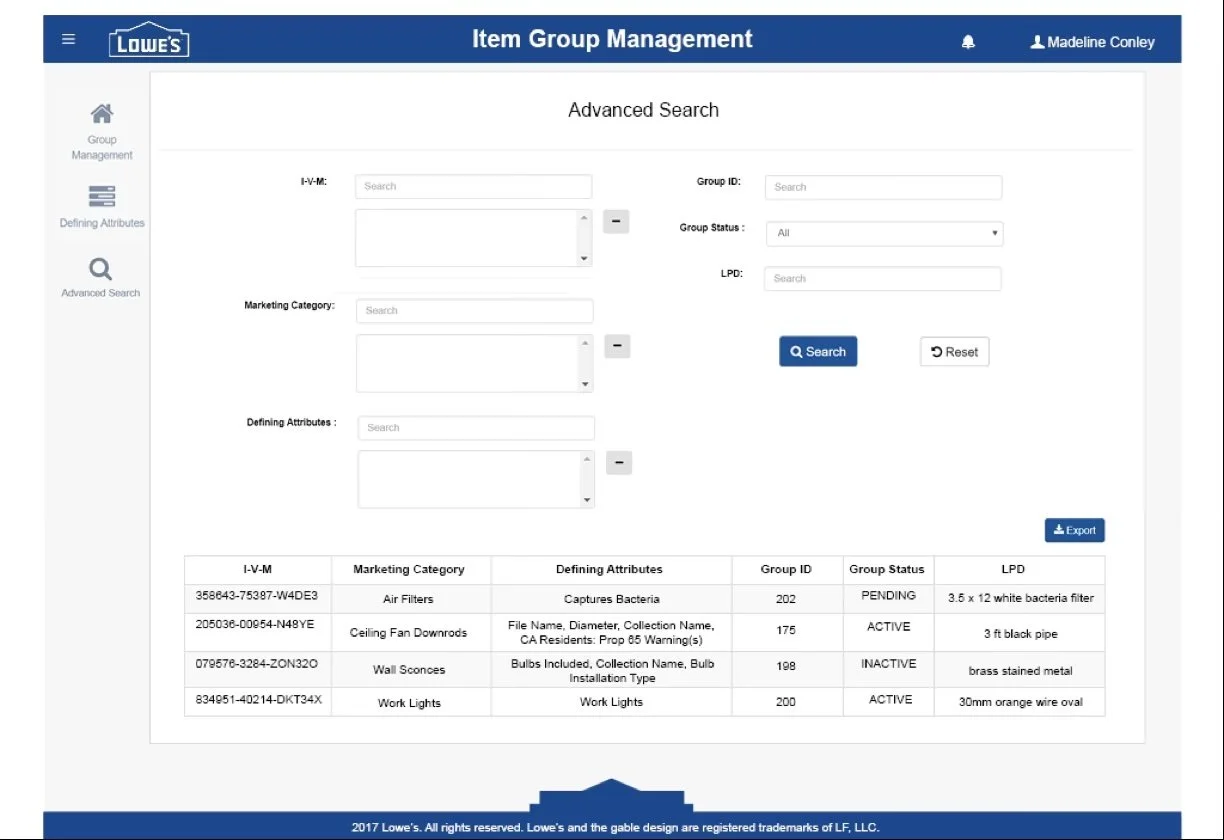
Simplified the search experience by highlighting commonly used fields and applying standardized table layouts for a more consistent interface
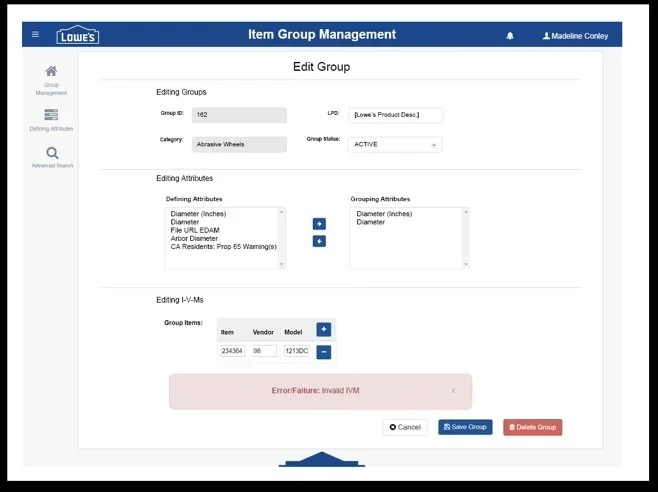
Edit Group Page
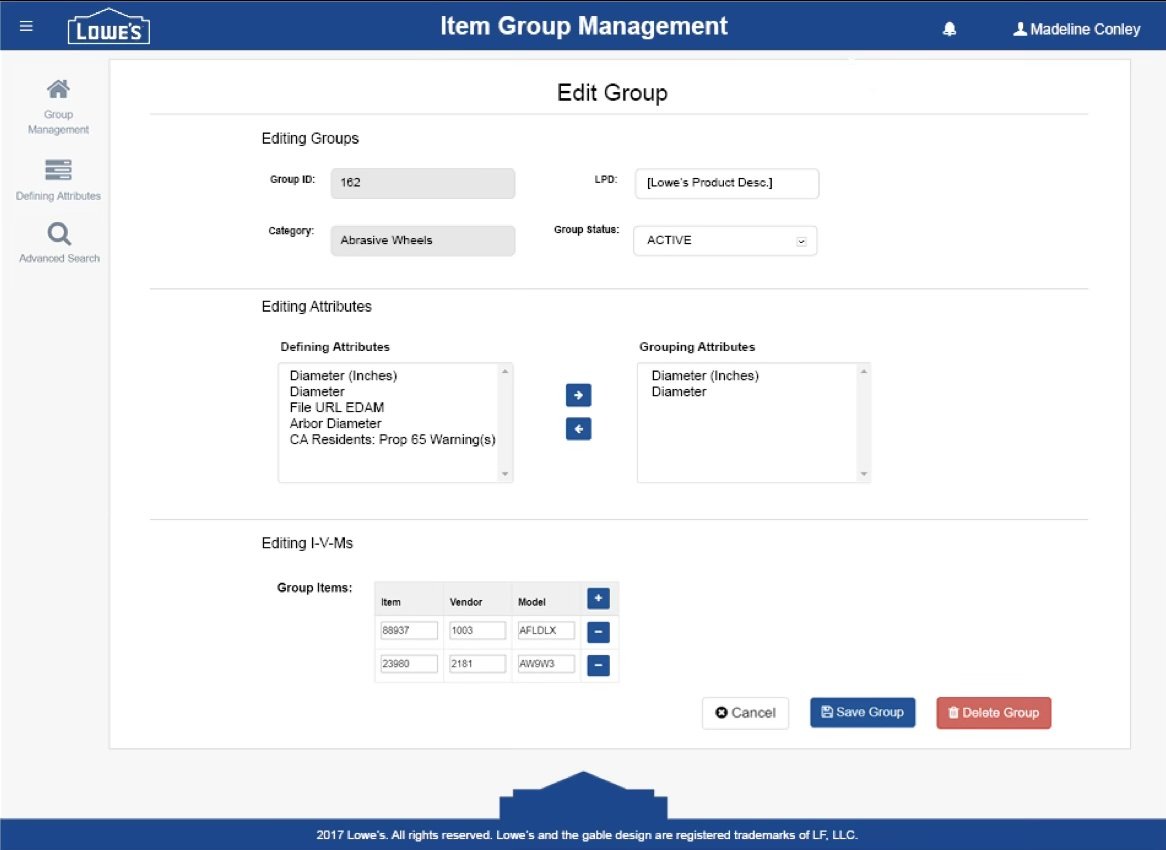
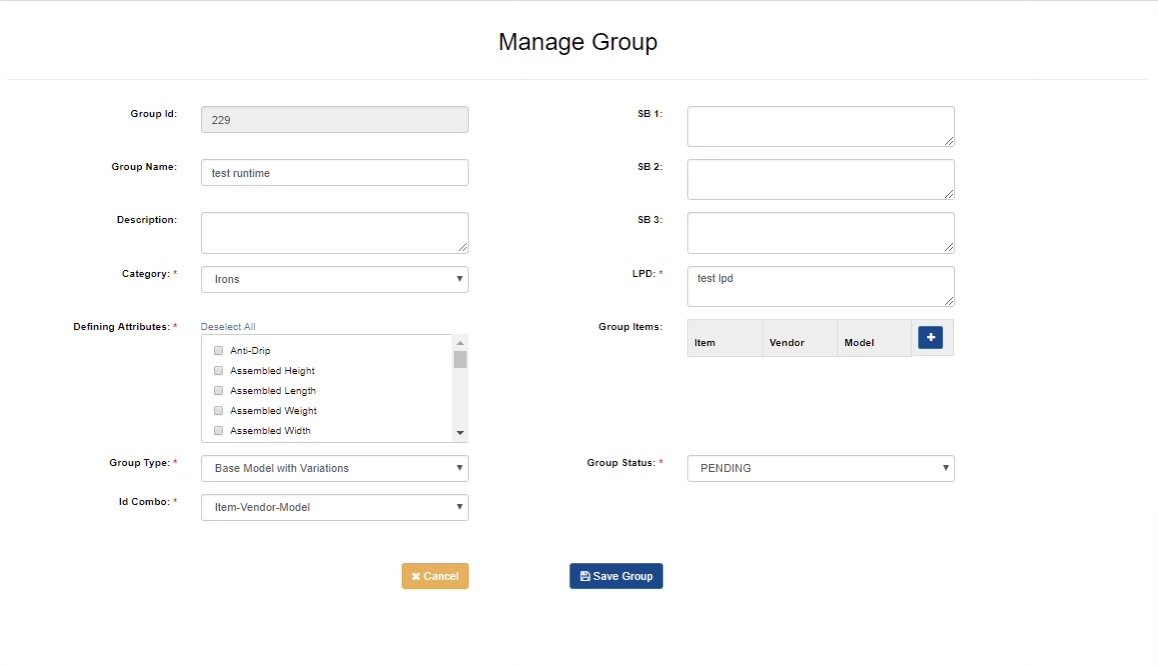
Enhanced the editing experience by removing unnecessary fields, introducing standardized iconography, expanding editing capabilities, and aligning the interface with the established design system..
Creating a Design System
As more applications were being modernized, it became clear that the team needed a shared foundation for future development.
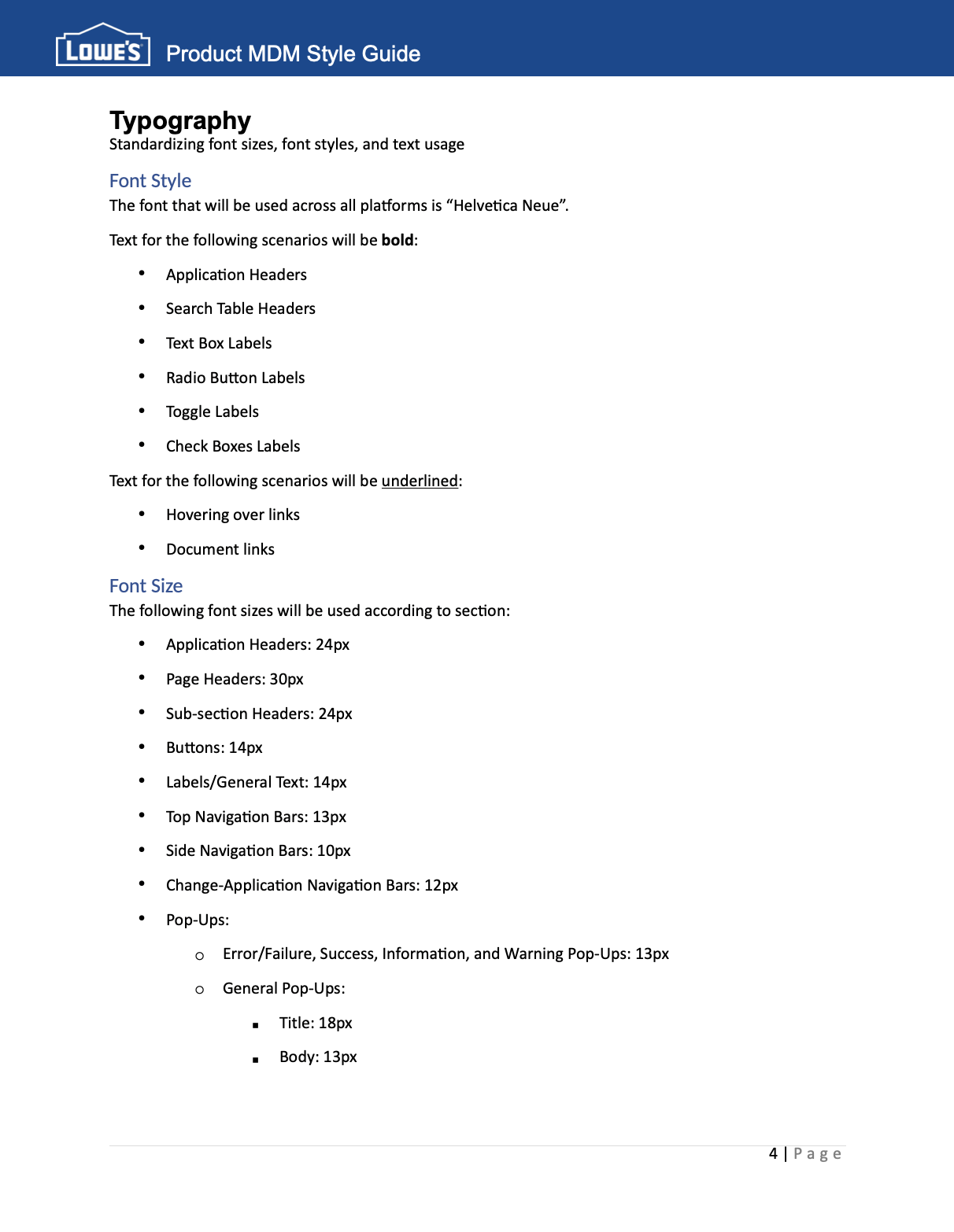
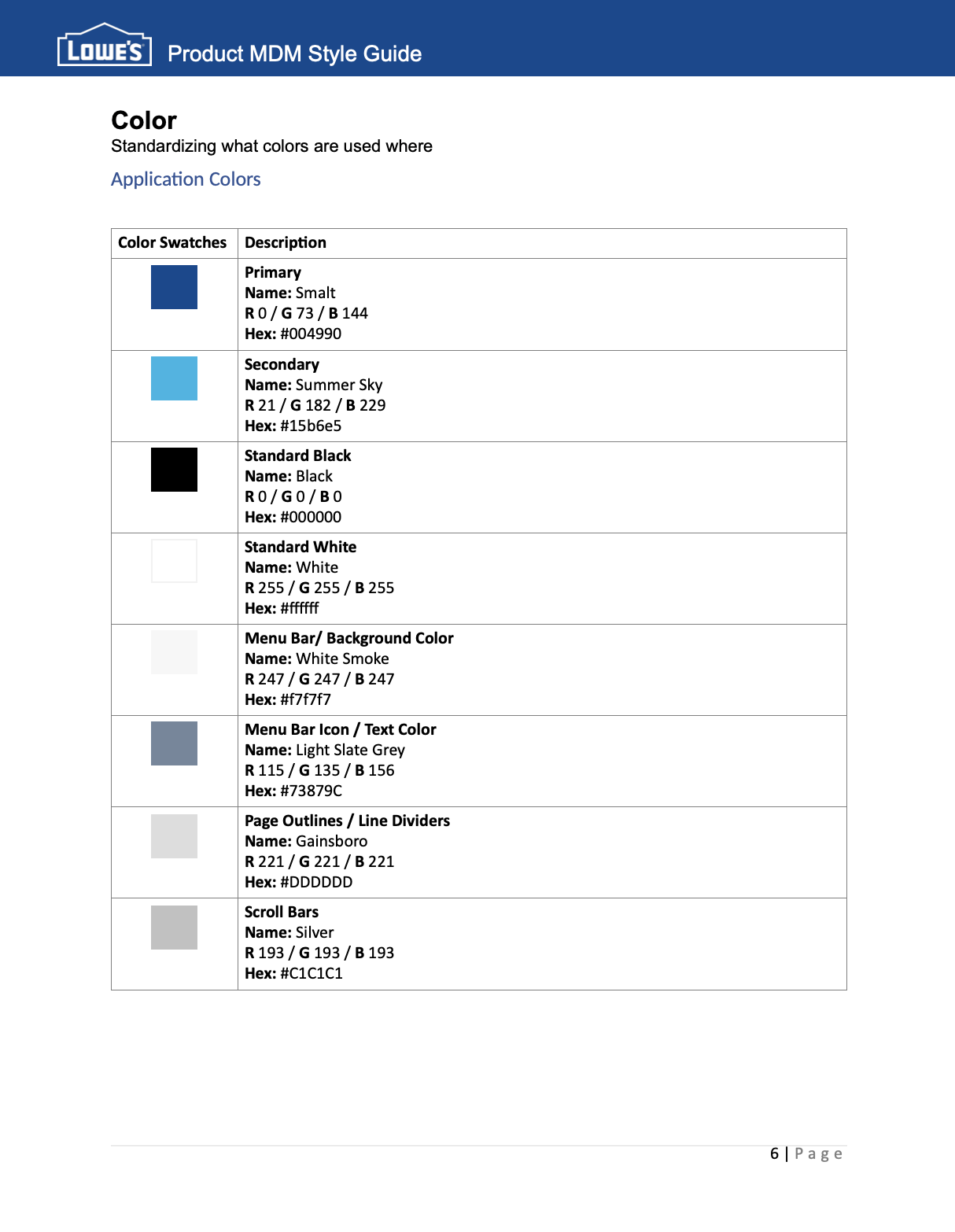
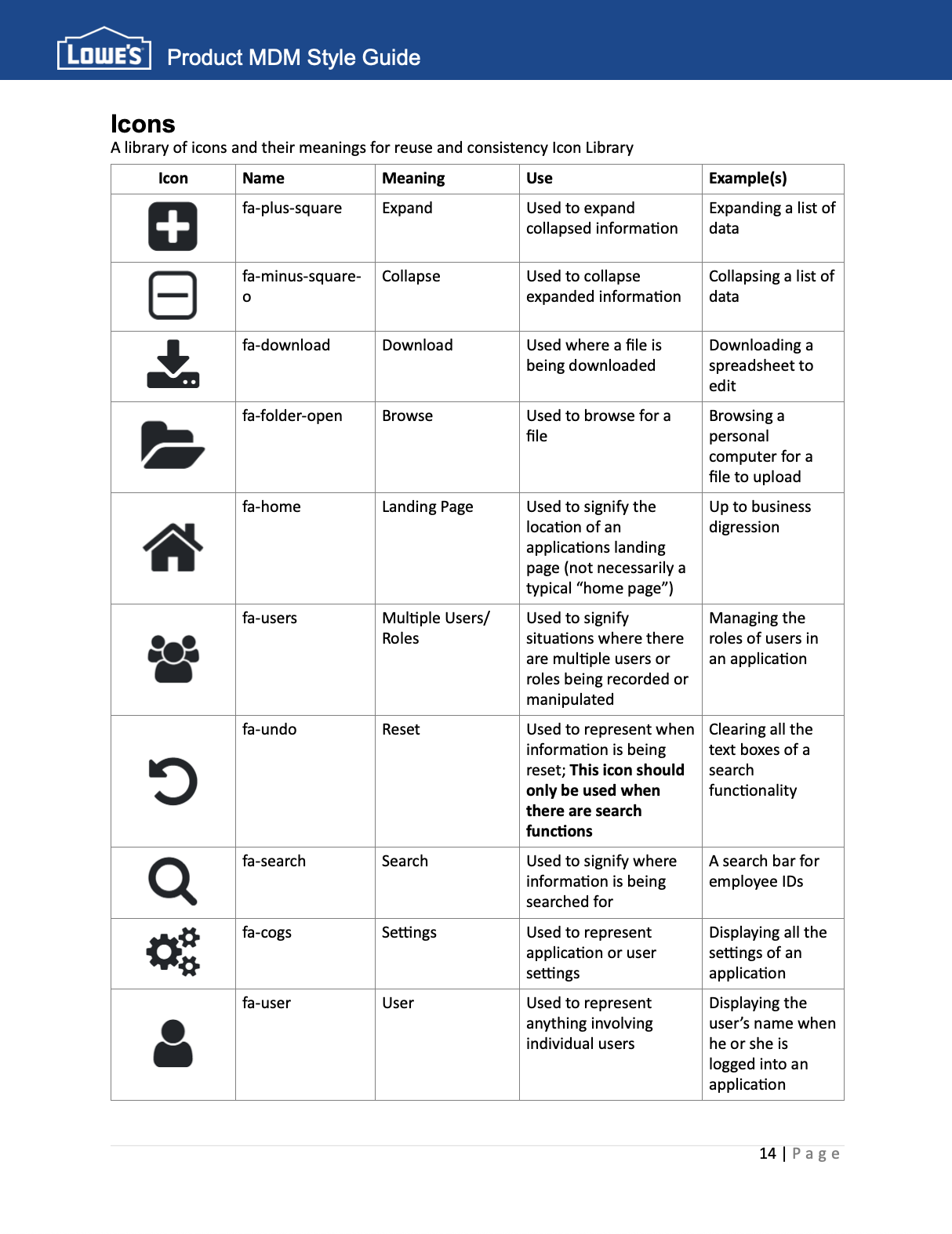
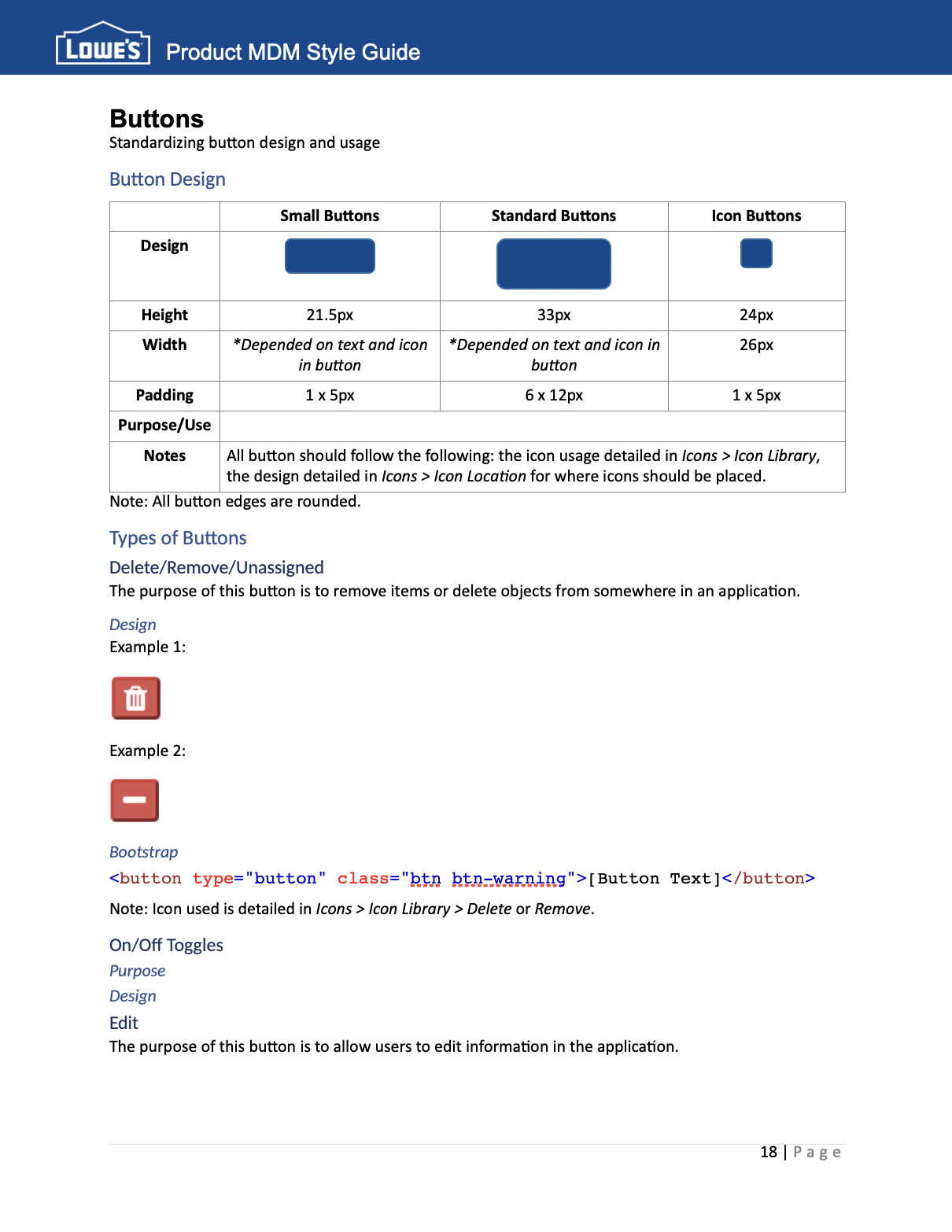
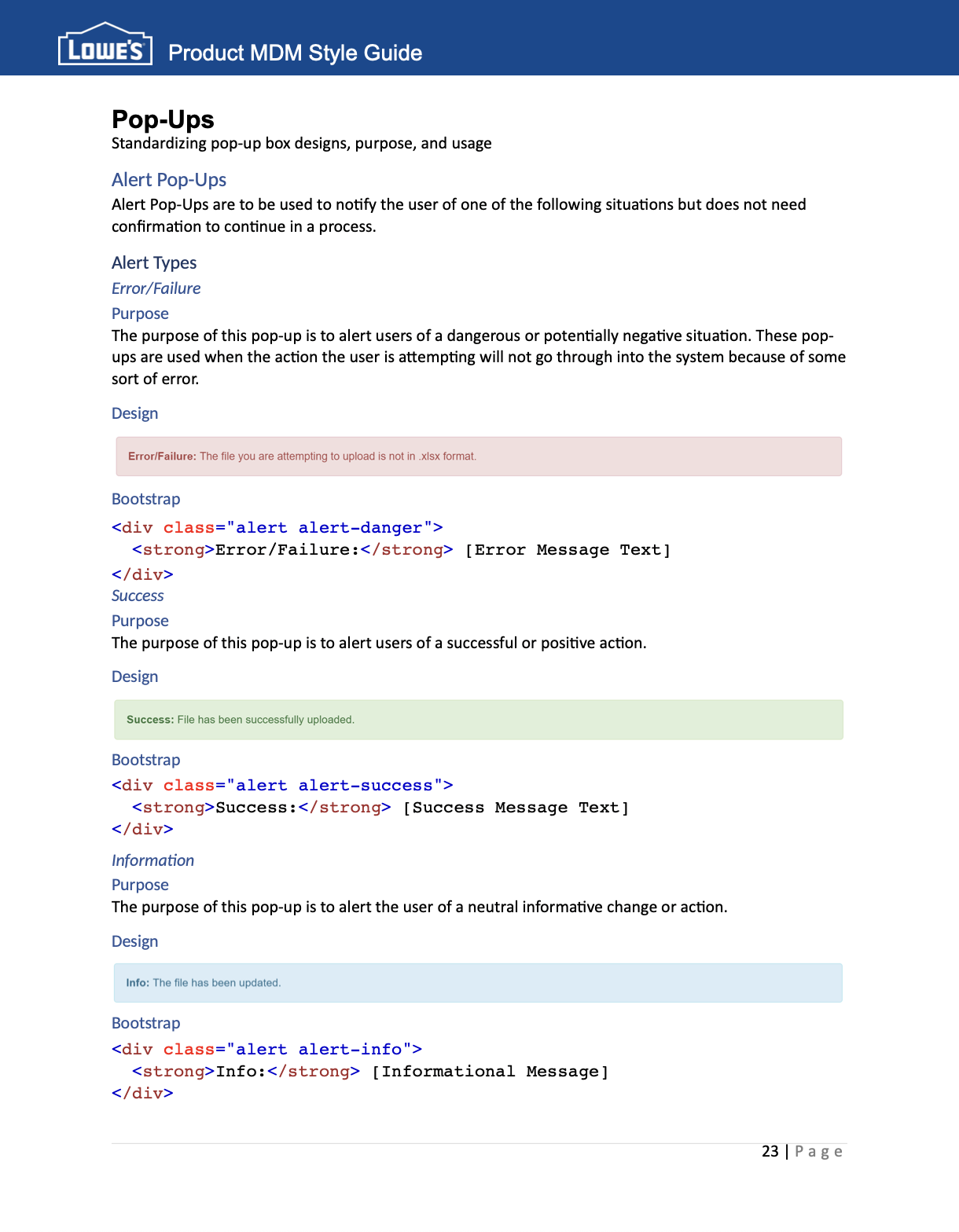
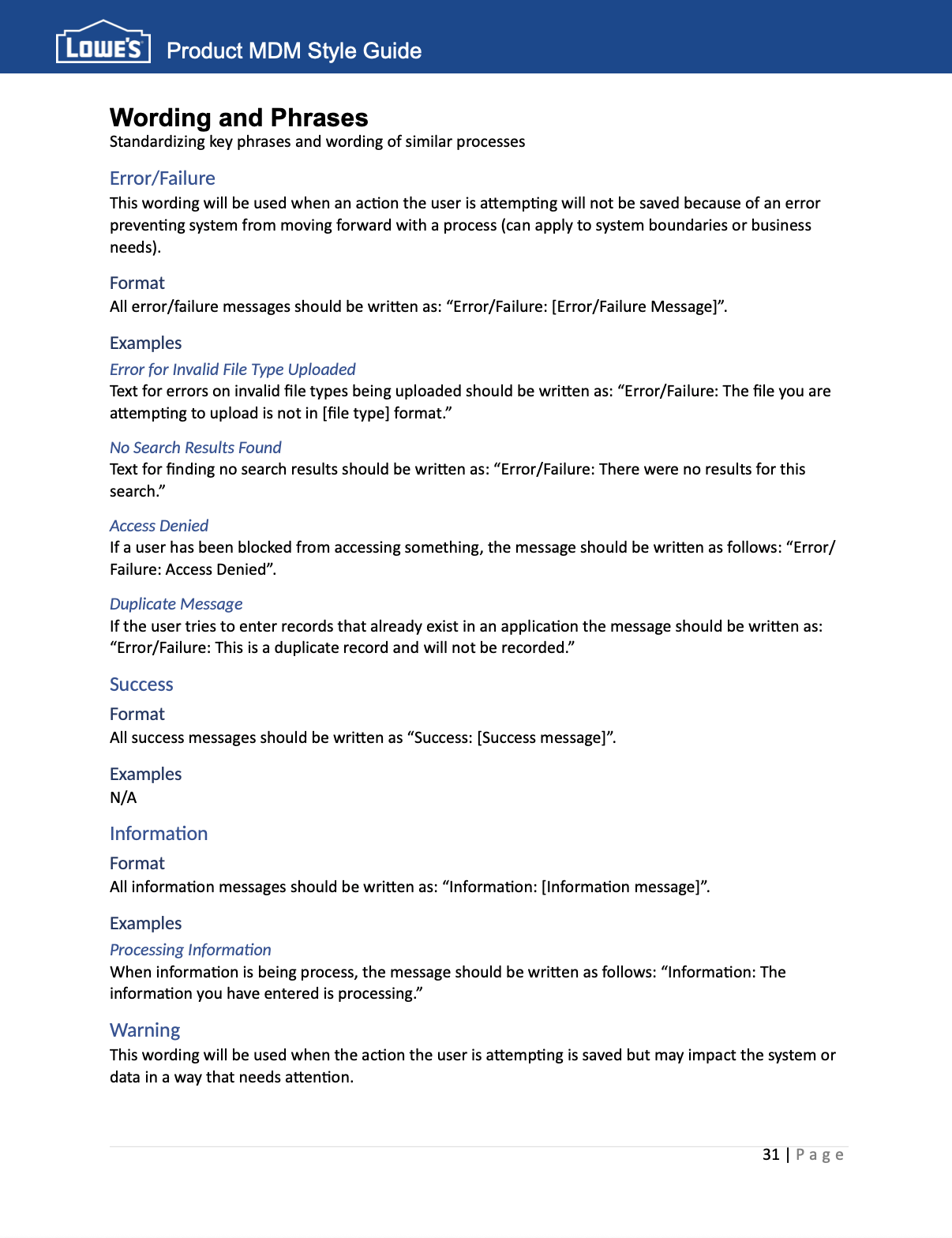
To support long-term consistency, I created a comprehensive UI style guide documenting standards for typography, colors, buttons, icons, tables, layouts, messaging, and reusable interface components. The guide provided developers, product owners, and analysts with a single reference for designing future applications while reducing design inconsistencies across the platform.
Typography
Color
Icons
Buttons
Pop-Ups
Wording & Phrases
Project Outcomes
This internship introduced me to the intersection of user experience, business analysis, and product development while contributing to the modernization of enterprise software used across Lowe's.
Key contributions included:
Redesigned multiple enterprise application interfaces to improve usability.
Created a comprehensive UI style guide documenting reusable design standards.
Authored user stories and collaborated with developers throughout Agile delivery.
Helped establish consistency across typography, icons, colors, layouts, and interface components.
Partnered with business stakeholders to translate user needs into product improvements.
From Standards to Implementation
The style guide wasn't intended to be documentation alone. It became a practical resource that informed application redesigns and future development efforts.
As new interfaces were created, the documented standards helped ensure components remained consistent across products, reduced design decisions during development, and established a shared visual language for the Product Master Data Management organization.
Reflection
Looking back, this project marked the beginning of my interest in user experience.
At the time, I simply wanted to make enterprise software easier to use. I hadn't yet learned terms like design systems, interaction design, or UX strategy, but many of the principles were already guiding my work.
Creating standards, simplifying interfaces, and advocating for consistency taught me that thoughtful design isn't only about making software look better. It's about helping people accomplish their work more clearly, efficiently, and confidently.